IPTV Smarters Pro UK 2026 – Complete Setup Guide & Review
What Is IPTV Smarters Pro?
IPTV Smarters Pro is a feature-rich IPTV player application that lets you stream live TV channels, VOD content and catch-up TV using an IPTV subscription. It supports both M3U playlists and Xtream Codes — the two most common IPTV credential formats — and works on virtually every device UK viewers use.
It is free to download from the Amazon App Store (Firestick), Google Play Store (Android) and App Store (iOS). You need an active IPTV subscription or trial credentials to stream content.
How to Install IPTV Smarters Pro UK
On Amazon Firestick
Go to the Firestick search bar and type "IPTV Smarters Pro". Select the app from results and click Download. It installs in about 30 seconds. If it doesn't appear, use the Downloader app method — we guide you through this with your free trial.
On Android Phone or Tablet
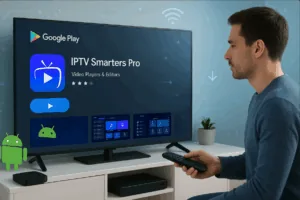
Open Google Play Store, search "IPTV Smarters Pro" and install. It's free and takes under a minute. Alternatively, download the APK directly using a link we provide with your trial credentials.
On iPhone or iPad
Search "IPTV Smarters Player Lite" on the App Store (the iOS equivalent of Smarters Pro) and install. The interface and setup are identical to the Android version.
How to Set Up IPTV Smarters Pro with Your Credentials
Once installed, setting up Smarters Pro takes under 2 minutes:
- Open IPTV Smarters Pro and tap "Add New User"
- Select "Login With Xtream Codes API" (the most common format)
- Enter the Server URL, Username and Password from your trial credentials
- Tap "Add User" and wait for your channel list to load (20–60 seconds)
- Your 20,000+ channels, VOD library and EPG guide are now ready
Get your free IPTV Smarters Pro trial credentials now — delivered via WhatsApp in 60 seconds.
💬 Get Free Smarters Pro TrialIPTV Smarters Pro Key Features
- Supports Xtream Codes and M3U playlists — works with all IPTV providers
- Built-in Electronic Programme Guide (EPG) showing what's on now and next
- Catch-up TV functionality (where supported by the provider)
- VOD section with film and series categories
- Multiple profile support — perfect for family households
- Picture-in-picture mode on compatible devices
- Free to download on all platforms
Frequently Asked Questions
Yes, IPTV Smarters Pro is completely free to download. You need IPTV credentials (a subscription or free trial) to stream content. We provide a free 24-hour trial via WhatsApp — no credit card required.
Yes. IPTV Smarters Pro is available directly from the Amazon App Store on Firestick and is one of the most widely used IPTV apps in the UK for Firestick users.
You need a Server URL, Username and Password from your IPTV provider. Request our free trial via WhatsApp and we'll send these credentials within 60 seconds, along with setup guidance.
Ready to start? Get your free IPTV Smarters Pro trial credentials now.
💬 Get Free Trial via WhatsApp